
Spoiler alert: your passwords may not be as secure as you think.
Think about how many devices you use every day. Your phone. Your laptop. Maybe even a tablet. Each one connects to websites, apps, and services requiring passwords.
From banking and healthcare portals to email and work tools, passwords protect the information you rely on.
But here’s the problem: many passwords are far easier to crack than people realize.
Weak or reused passwords can expose your entire digital identity if one account is compromised.
The good news? A few simple changes can dramatically improve your password security. Let’s break down how passwords are cracked—and what you can do to keep yours safer.
Quick Answer: How Do You Create a Strong Password?
A strong password has two key qualities: length and complexity. It should:
- Be at least 12–16 characters long
- Include a mix of uppercase letters, lowercase letters, numbers, and symbols
- Be unique for every account
- Avoid common words or personal information (if you have “password” or your birthday in your password, we’re looking at you)
- Be stored securely in a password manager
Many cybersecurity experts also recommend using passphrases, which are longer combinations of words that are easier to remember but harder for hackers to crack.
How Do Hackers Guess Passwords?
Hackers usually don’t guess passwords manually.
Instead, cybercriminals use automated tools that can attempt millions of password combinations every minute. Two of the most common methods include:
Brute Force Attacks
A brute force attack systematically tries every possible combination of characters until the correct password is found. Short or simple passwords can be cracked almost instantly this way.
Dictionary Attacks
Dictionary attacks use massive lists of common words, phrases, and previously leaked passwords to guess login credentials. They also target variations like “p@ssword” or “letmein1.” If your password resembles anything on those lists, it’s vulnerable.
The takeaway: passwords that feel “tricky” to a human are often trivial for a machine. True password strength comes from randomness and length, not from being clever.
What Makes a Password Strong?
A strong password combines several key elements:
- Length: At least 12 characters
- Complexity: A mix of uppercase letters, lowercase letters, numbers, and symbols
- Uniqueness: Different passwords for every account
For example:
Weak password:
password123
Stronger password:
X7g9K6Y!h0L2
Weak passwords can be easily guessed or stolen by hackers, making your personal information vulnerable, and potentially compromising all your other accounts (especially if you’re someone who, like the majority of individuals, reuses their passwords. More on that later!). Even passwords consisting of upper and lowercase letters and numbers can be guessed in a matter of seconds, according to Hive Systems.
To truly protect yourself against these quick-cracking programs, you need long, highly random strings of characters. However, complex passwords like that are notoriously difficult to remember. That’s why we recommend using passphrases instead.

What Is a Passphrase?
A passphrase is a longer password created from several words or a memorable sentence.
Because passphrases are longer, they’re often harder for attackers to crack while remaining easier for you to remember.
Example passphrase:
InSpringIPlant5PurpleHydrangeasInMyGarden@10am!
This passphrase is over 40 characters long, contains uppercase letters, lowercase letters, and a number, and is far easier to remember than something like kQ8!mZ2@nR5#. Because the details are personal and specific to you, you’re more likely to retain it—and it’s exponentially harder to crack due to its length and complexity.
A passphrase is an excellent option for master passwords (like your password manager login). For other accounts, a password manager can generate and store strong, truly random passwords for you automatically.
Why You Should Never Reuse Passwords
Password reuse is one of the most dangerous habits in digital security—and naturally, one of the most common. If a hacker obtains your password from one data breach, they will immediately try it on your email, banking, and social accounts. This is called credential stuffing, and it works because people reuse passwords so predictably.
Think you can outsmart the hackers with a few minor adjustments to your go-to? Hackers are already way ahead—they know all the “clever” modifications people make to their root passwords:
- Adding numbers or symbols to the end (password1987!)
- Capitalizing the first letter (Password)
- Substituting letters for numbers (p@ssw0rd)
None of these changes provide meaningful protection against automated attacks. The only real solution is using a completely unique password for every single account.
What Is a Password Manager?
A password manager is a secure tool designed to store and manage your login credentials.
If the idea of remembering dozens of unique, complex passwords sounds overwhelming, that’s exactly what password managers are designed to solve. They:
- Generate strong, unique passwords for each of your accounts
- Store them in an encrypted database only you can access
- Auto-fill your login credentials so you don’t have to remember them
Popular options include LastPass, 1Password, Bitwarden (free and open source), and Dashlane. Then, the only password you’ll need to remember is your master password (or passphrase) to access the manager itself.
Password Security Checklist
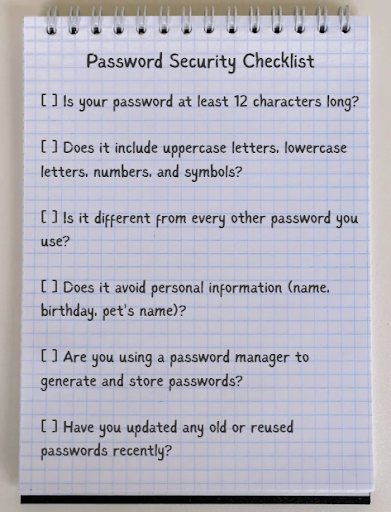
Are your current password habits up to snuff? Use this checklist to give yourself a quick audit:
- Is your password at least 12 characters long?
- Does it include uppercase letters, lowercase letters, numbers, and symbols?
- Is it different from every other password you use?
- Does it avoid personal information (name, birthday, pet’s name)?
- Are you using a password manager to generate and store passwords?
- Have you updated any old or reused passwords recently?
Strong password habits make you a much harder target for cybercriminals.
Why Password Security Matters for Businesses
Passwords are often the first line of defense in cybersecurity.
If attackers gain access to a single employee account, they may be able to:
- Access internal systems
- Steal sensitive business data
- Send phishing emails from trusted accounts
- Deploy ransomware across company networks
Because of these risks, strong password policies, multi-factor authentication (MFA), and employee cybersecurity training are essential.
FAQ: Password Security
What is a strong password?
A strong password is a login credential that is long, unique, and difficult for attackers to guess. Security experts recommend using at least 12 characters with a mix of letters, numbers, and symbols.
How long should a password be?
Most cybersecurity experts recommend passwords 12–16 characters or longer. Longer passwords significantly increase the number of combinations attackers must attempt.
Why is reusing passwords dangerous?
If one website is breached, attackers often test the same password on other accounts. Password reuse allows hackers to access multiple services using a single stolen credential.
Is it safe to use a password manager?
Yes. Password managers encrypt your data and are far more secure than reusing simple passwords or writing them down. Even if the manager’s servers were breached, your encrypted vault would be unreadable without your master password.
How often should I change my passwords?
Current guidance from NIST (National Institute of Standards and Technology) recommends changing passwords only when you have reason to believe they’ve been compromised, not on a fixed schedule. The priority is using strong, unique passwords rather than frequently rotating weak ones.
What should I do if my password is stolen?
Change it immediately, enable two-factor authentication (2FA) on that account, and check whether the same password was used anywhere else. Sites like Have I Been Pwned let you check if your email has appeared in a known data breach.
