
What is cybersecurity training? Cybersecurity training teaches your team to recognize and stop the everyday threats—phishing emails, fake invoices, vishing calls, social engineering—behind most data breaches. The 9 types below cover the full landscape every small business needs to defend against today’s attacks.

Most small businesses spend thousands on firewalls, antivirus software, and endpoint protection—and almost nothing on the people using them.
That’s a problem. Verizon’s annual report consistently finds human error involved in the majority of breaches. Your team is your biggest cybersecurity vulnerability—and your biggest opportunity. The good news: cybersecurity training doesn’t have to be complicated, expensive, or overwhelming. It just has to be consistent. Here are the 9 types every small business needs, organized into four practical categories.
What Is Cybersecurity Training?
Cybersecurity training—sometimes called “security awareness training” or “cyber awareness training”—is structured education that teaches employees to identify, avoid, and report cyber threats. It covers everything from phishing recognition to physical office security to safe password habits.
The goal isn’t to turn your team into IT specialists. It’s to give every person on your staff a sharp eye for the patterns cybercriminals use—so when something feels off, they catch it before it costs you.
Why Cybersecurity Training Matters for Small Businesses
Human error is the leading cause of data breaches, according to Verizon’s Data Breach Investigations Report. Most cyberattacks don’t break through technology—they walk in through inboxes, phone calls, and unlocked back doors. A trained team catches them. An untrained team doesn’t.
These aren’t lone hackers, either. Organized cybercrime operations run phishing and social engineering campaigns at industrial scale. For small and mid-sized businesses, one click can compromise your entire network—triggering days of downtime, financial loss, and reputational damage.
Here’s what most security teams miss: training doesn’t work as a one-time event. The threat landscape changes monthly. Your training has to keep up.
The 9 Types of Cybersecurity Training—Quick Reference
| Training Topic | Why It Matters | Recommended Cadence |
|---|---|---|
| 1. Physical security & access control | Stops tailgaters and lost-fob incidents | Onboarding + annual refresh |
| 2. Tailgating awareness | Prevents in-person breaches | Annual refresh |
| 3. Phishing & vishing recognition | Top entry point for breaches | Quarterly + monthly tests |
| 4. Social media scams | Bypasses corporate filters | Quarterly |
| 5. Invoice & payment fraud | Targets accounting directly | Quarterly + role-specific |
| 6. Logout & device habits | Limits damage from theft/loss | Onboarding + reminders |
| 7. Passwords & safe browsing | Closes the credential-theft gap | Annual + policy updates |
| 8. Data backup procedures | Survives ransomware & loss | Annual + role-specific |
| 9. Disaster recovery drills | Turns plans into muscle memory | Annual tabletop exercise |
Category: Physical Security
The cyber threats most people picture happen on a screen. But a surprising number start with someone walking through a door they shouldn’t have.

1. Protect Your Keys, Badges, and Access Devices
Onboarding usually means a new fob, key card, or door code. Train your team to treat these like any other credential—don’t share them, don’t leave them on a desk, and report any loss immediately. A lost fob is a security incident, not an inconvenience. The faster IT can deactivate it, the smaller the window for a bad actor to use it.
2. Don’t Hold the Door for Anyone
This one feels rude—and it’s exactly why it works. A “courier” with a clipboard or a maintenance worker who “forgot the code” can be inside your office in 10 seconds if a polite employee opens the door for them. Once a threat actor is inside, they can plug in a malicious USB drive, photograph confidential documents, or simply walk out with a laptop. Train your team that “I’m sorry, you’ll need to check in at the front desk” is the right answer—every time.
Category: Phishing and Social Engineering
These are the attacks that come at your team through email, phone, social media, and increasingly anywhere a message can be delivered. They’re the most common—and most successful—type of cyberattack. They also fall under the broader umbrella of social engineering tactics, where criminals manipulate people instead of breaking technology.
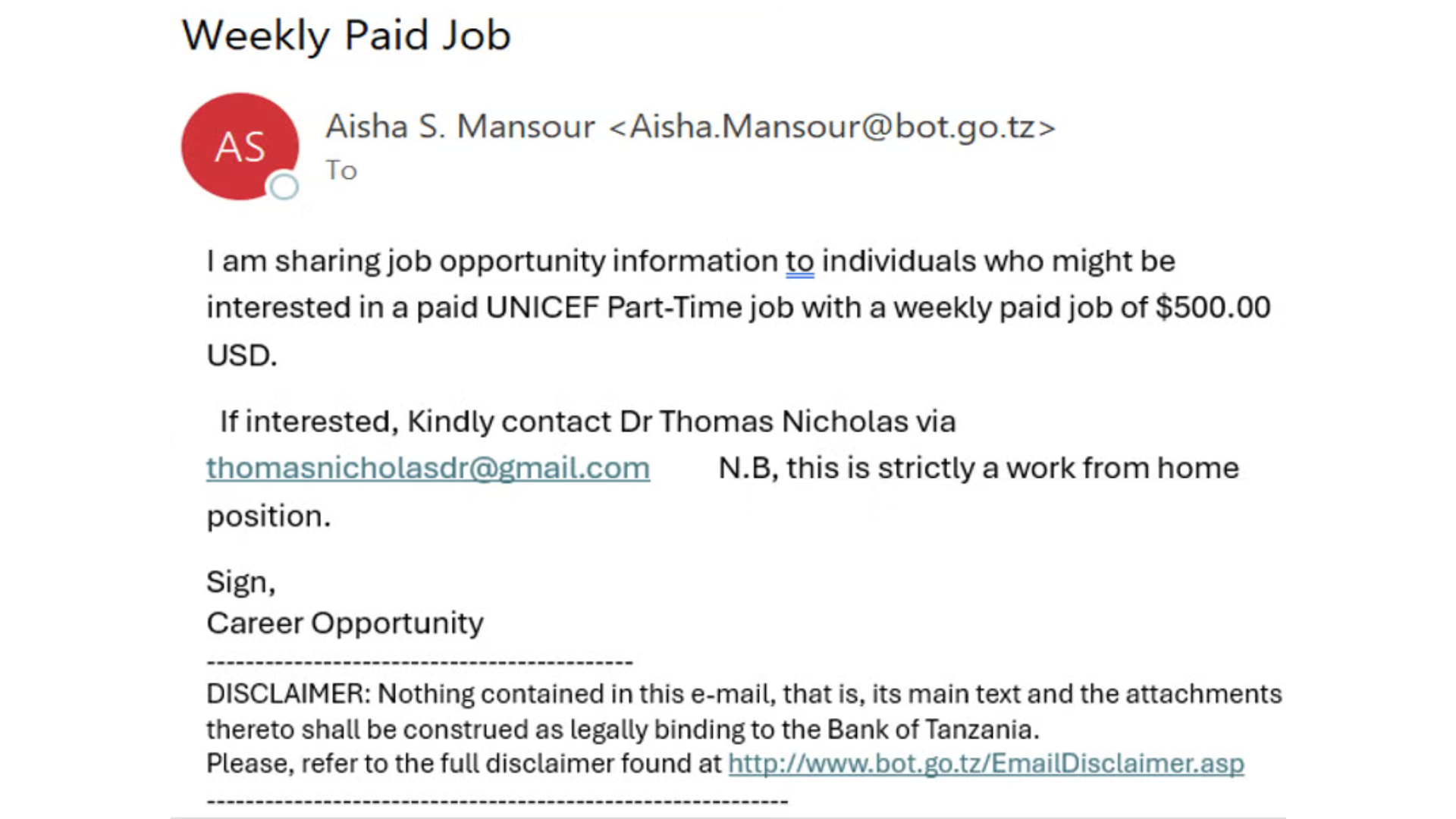
3. Recognize Phishing Emails and Vishing Calls
Phishing emails are getting harder to spot every year, especially as AI tools help criminals write convincing copy. Vishing—phishing via phone call—is just as dangerous: a “bank rep” or “HR specialist” calls demanding immediate action. Train your team to slow down, check sender addresses, hover over links, and verify any urgent request through a separate channel. And never punish someone for being cautious. The cost of a verified false alarm is zero. The cost of a missed phishing attack is enormous.
4. Spot Social Media Scams
Fake accounts, hijacked profiles, and AI-generated bots are everywhere. Train your team to check how active a profile has been before responding to messages, and to be skeptical of anyone who reaches out unsolicited. Romance scams, pig butchering investment fraud, and fake job offers all start on social platforms—and they’re costing victims billions every year. Anything that pressures urgency or asks for personal or financial details is a red flag, full stop.
5. Watch for Invoice and Payment Scams
This one specifically targets your accounting team—and it works on businesses every day. A vendor’s “updated banking information.” A fake invoice for services no one ordered. A wire transfer request from someone impersonating your CEO. Train your accounting and operations staff to verify any payment request through a known phone number—not the one in the suspicious email—before sending money. Building a “we always call to confirm” culture is one of the cheapest, highest-impact defenses you can put in place.
Category: Digital Hygiene
The everyday habits that quietly determine how secure your business actually is. None of these is glamorous. All of them matter.
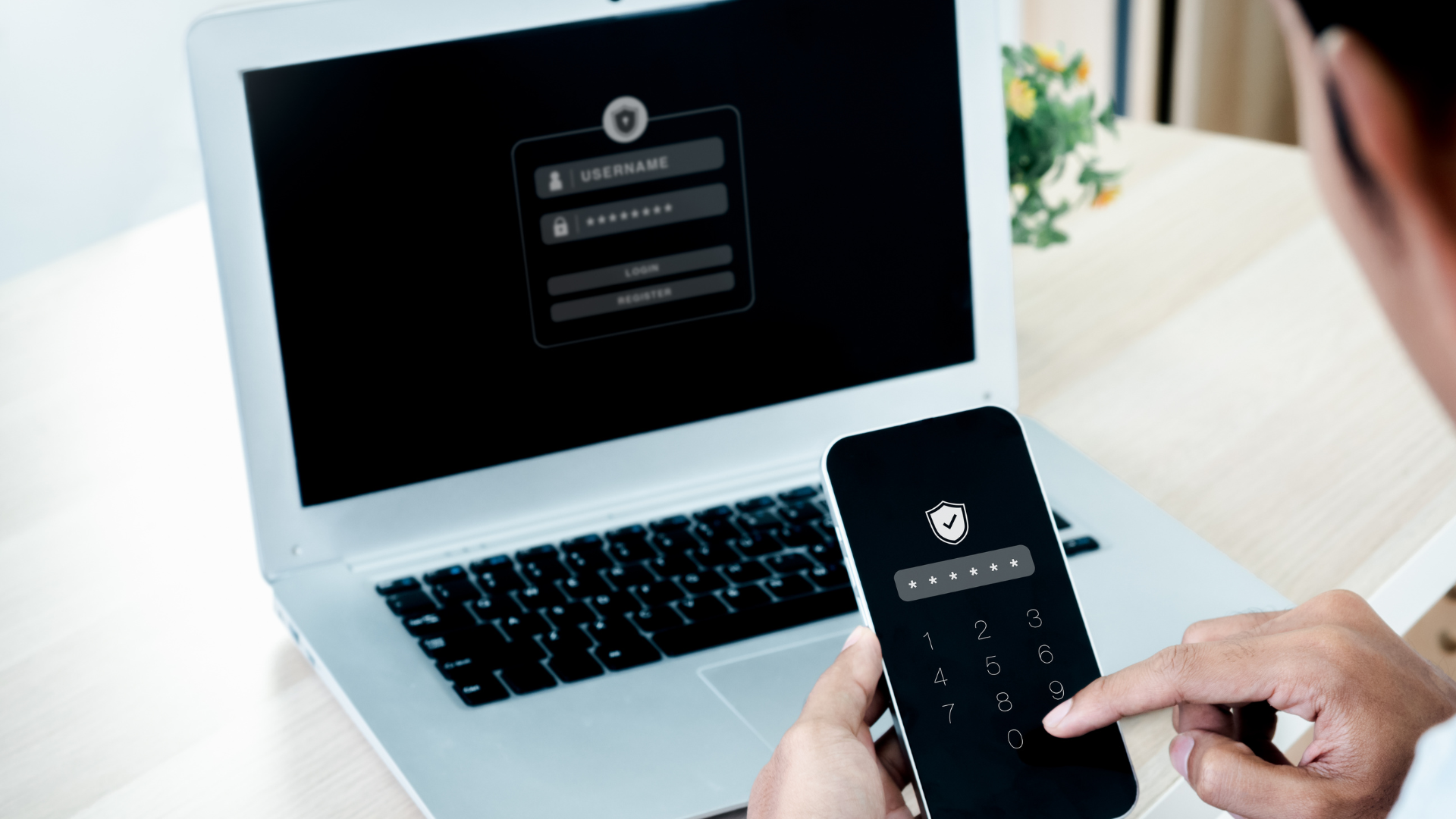
6. Log Out—Don’t Just Close the Laptop
Closing a laptop lid keeps your apps logged in. Logging out doesn’t. Train your team to log out of email, banking, and any sensitive systems before the end of the day. It’s a 10-second habit that makes a lost or stolen device significantly less dangerous—and it’s a small power-saving bonus on top.
7. Follow Current Standards for Passwords and Browsing
What counted as a strong password ten years ago is barely a speed bump for today’s attackers. Modern best practice means long passphrases, a password manager, and multi-factor authentication on every account that supports it. Same goes for browsing—old assumptions about which sites are “safe” don’t apply anymore. A short, regularly updated quick-reference document beats a 40-page policy nobody reads.
Category: Backups and Disaster Recovery
Even a perfectly trained team will eventually face an incident. Training for the recovery is what separates a bad day from a closed business.

8. Back Up Sensitive Data—In More Than One Place
Train your team on what data needs to be backed up and how often. Most importantly, make sure backups exist in at least two places—one local, one cloud—so a single ransomware attack or hardware failure can’t take everything. Sensitive files don’t belong on a single laptop or USB drive.
9. Make Sure Everyone Knows the Recovery Plan
A backup and disaster recovery plan that lives in a binder no one has read isn’t a plan—it’s wishful thinking. Walk your team through the actual recovery process at least once a year. Run tabletop exercises. The first time you use your business continuity plan should not be during an actual emergency.
How to Build a Cybersecurity Training Program (Without Burning Out Your Team)
The mistake most businesses make is trying to do everything at once and burning everyone out. A better approach:
- Start small, stay consistent. A 15-minute monthly session beats a 4-hour annual one.
- Mix formats. Short videos, simulated phishing tests, written quick-references, lunch-and-learns. Different people learn different ways.
- Make it safe to report. A team that fears embarrassment hides incidents. A team that feels supported reports them fast—and fast reporting is what limits damage.
- Test it. Simulated phishing campaigns, occasional pretexting calls. Find your gaps before a real attacker does.
- Update quarterly. New scams emerge constantly. Year-old training is already out of date.
When you invest in your team, they become your first line of cyber defense—and the cheapest, most reliable defense your business has.
Stratti can help identify your highest-risk gaps and build a training program that fits your team’s size, schedule, and budget. Call us in Chico at (530) 342-8999 or in Roseville at (916) 290-4511—or get in touch to start the conversation.
Frequently Asked Questions About Cybersecurity Training
What is cybersecurity awareness training?
Cybersecurity awareness training is a structured program that teaches employees to recognize and respond to cyber threats—phishing emails, social engineering calls, suspicious attachments, and risky online behavior. It’s the human side of cybersecurity, and it’s the most cost-effective protection a small business can invest in.
How often should small businesses do cybersecurity training?
Quarterly at minimum, with shorter monthly check-ins or simulated phishing tests in between. Annual training alone isn’t enough—threats evolve too quickly. Regular, bite-sized sessions stay top of mind without overwhelming your team.
What’s the most important cybersecurity training topic?
Phishing recognition is the highest-leverage topic, because phishing is the #1 entry point for breaches. But effective programs cover the full picture: physical security, social engineering, password hygiene, and disaster recovery. Skipping categories leaves obvious gaps.
How much does cybersecurity training cost for a small business?
Costs range widely. Free options exist—CISA’s free resources for small businesses are a strong starting point. Managed programs typically run $5–$15 per employee per month and include simulated phishing tests, content libraries, and reporting. Most small businesses are best served by a managed solution—DIY training is hard to maintain consistently over time.
Can cybersecurity training prevent every attack?
No—but it dramatically reduces successful ones. Training won’t stop every threat, but combined with technical safeguards (email filtering, multi-factor authentication, endpoint protection), it closes the human-error gap responsible for the majority of breaches. Defense in layers, not silver bullets.
Where should we start with cybersecurity training?
Start with phishing—it’s the most common attack and the easiest to train against. Then add password hygiene, multi-factor authentication, and physical security basics. Stratti can help build a training program that fits your team. Get in touch to start.
Ready to build a cybersecurity training program that actually sticks?
Stratti helps small and mid-sized businesses across Northern California identify the highest-risk gaps and roll out a training plan that fits the team. Let’s find out where you’re most vulnerable—and what to do about it.
